
Configuration
Every rule, every rate, every integration — in your hands
Avenex’s NEMT software features give operations teams direct control over the settings that determine how trips are handled and paid. Change a broker rule without a support ticket. Update a rate without a developer.
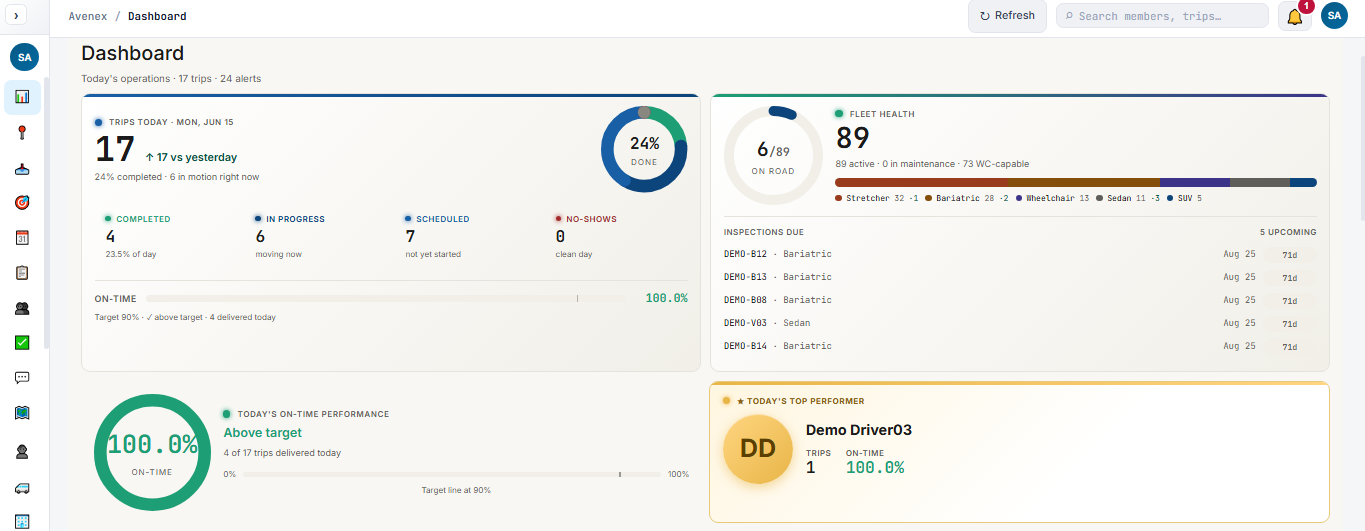
The operations dashboard: live trip count, on-time performance, fleet health, and open alerts at a glance.
Broker import
What you control for each broker connection
Import profiles
Field mapping and value translation are configured per broker. A Southtrans mobility code maps to your internal type. An MTM dispatch action maps to Add, Update, or Cancel. No custom code.
De-duplication rules
Set how re-sent rosters are handled: update existing trips, skip duplicates, or flag for coordinator review. Configurable per broker and per dispatch action type.
Retry and recovery
Set retry intervals and maximum attempts for each API connection. Persist-first storage ensures no trip is lost between retries — even during extended outages.
Scheduling triggers
Choose whether imported trips are auto-scheduled, held in a review queue, or require coordinator confirmation before a driver is assigned.
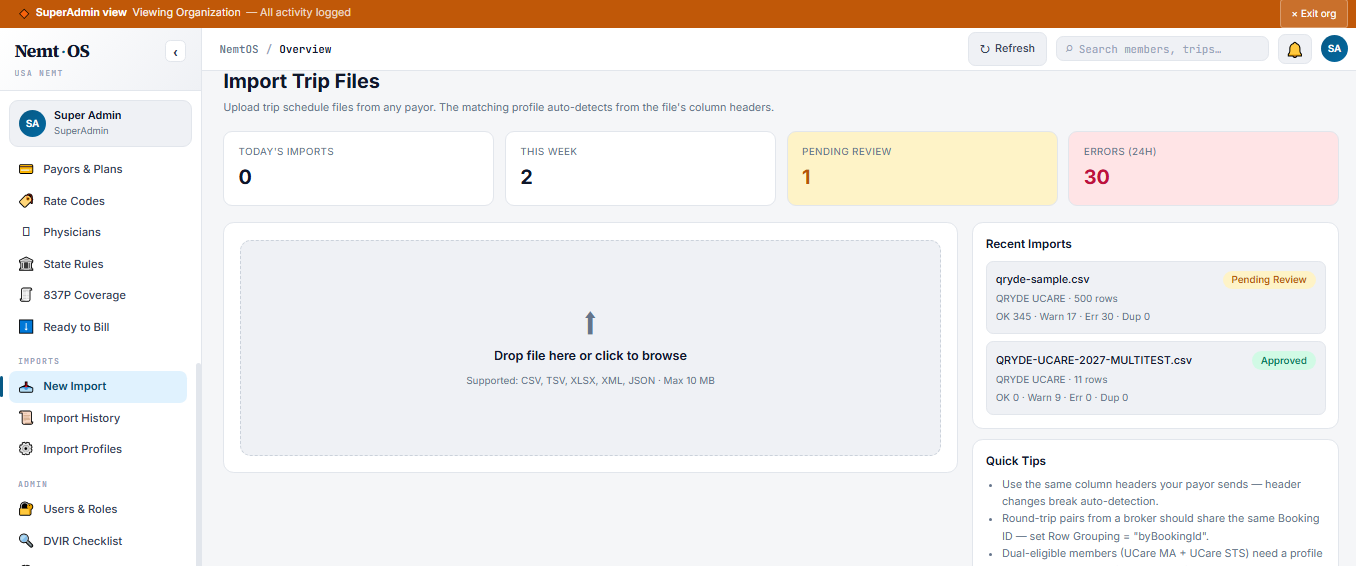
Import profiles: map any broker field to your canonical layout, translate any value, require no code.
Scheduling rule engine
What is verified — and locked — at booking
Eligibility checks
Configure which fields are verified live at booking — insurance status, plan enrollment, authorization units remaining — and what happens when a check fails or a field is missing.
Authorization management
Set authorization unit thresholds and prior-authorization gates per payer. Trips that exceed or lack authorization are held for review, not silently booked.
Dual-eligibility logic
Define how members with multiple active policies are handled: prompt for plan selection, auto-select by priority, or flag for manual coordinator review.
Recurring ride templates
Build standing-order templates for dialysis, therapy, and other repeating trips. Templates carry payer, authorization, and rate settings forward automatically.
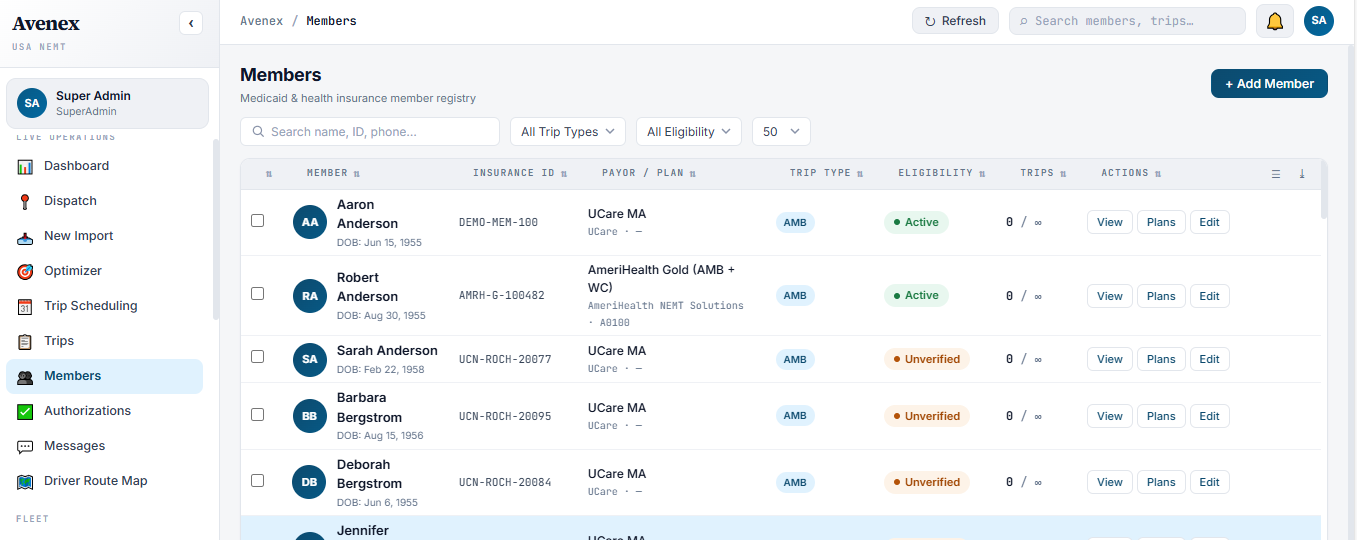
Member scheduling: eligibility, authorization units, and plan selection confirmed before saving.
Dispatch configuration
How auto-assignment and alerting work
Auto-assignment
Configure the weighting of proximity, credentials, member preference, and vehicle capacity in the assignment decision. Override any auto-assignment manually when needed.
Geofence settings
Set the arrived-geofence radius per state or per broker — tighter for urban stops, wider for rural addresses. Drivers outside the radius cannot mark Arrived.
Alert rules
Define thresholds for automated alerts: lost GPS signal duration, shift overtime limit, missed logout window. Alerts route to the coordinator on duty, not a shared inbox.
Trip board filters
Configure which statuses, brokers, and vehicle types appear in each coordinator’s default view. Filters are saved per user role, not per session.
Billing & rate management
How charges are calculated and validated
Rate catalog
Set base rates, per-mile tiers after bundled-mile exemptions, and wait-time pricing per mobility type and per broker contract. Separate rate lines for ambulatory, wheelchair, and stretcher.
Procedure code mapping
Map each mobility type to the correct procedure code (A0100, A0130, A0140, STS). Codes attach to the billing snapshot at scheduling and cannot be changed after delivery.
Payer configuration
Configure electronic payer IDs, clearinghouse routing, and provider NPI per payer. Specialized STS programs with non-standard clearinghouse IDs are configured in their own profile.
Pre-flight rules
Define which fields must be present and in what format before a claim can export. Missing-data claims are held for review — not sent blind to the clearinghouse.
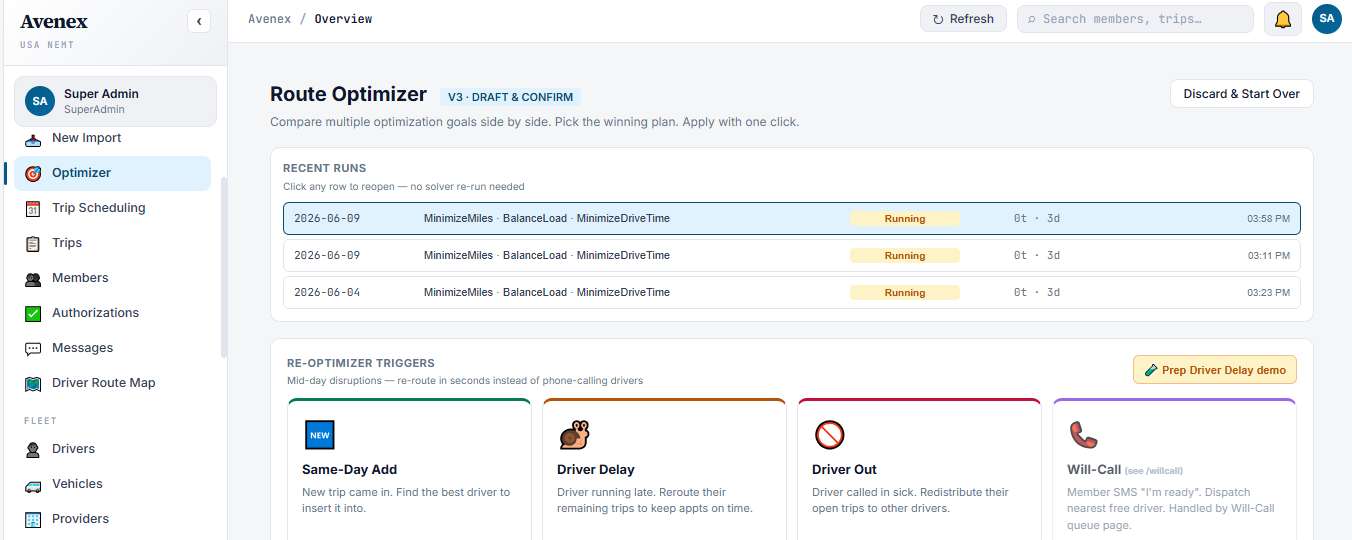
The route optimizer consolidates tomorrow's schedule overnight — fewer gaps, fewer empty miles.
AI & automation
What runs in the background without being asked
No-show risk prediction
A model scores each upcoming trip by no-show likelihood based on member history, appointment type, and time of day. High-risk trips surface in the dispatch board the morning of the ride.
Overnight route optimization
After the day’s final schedule is confirmed, Avenex reorders and consolidates trips to minimize empty miles and late pickups. Results are ready before the first shift starts.
ETA prediction
Live ETAs on the dispatch board are model-generated from GPS speed, traffic patterns, and historical trip-time data — not a static estimate from the original schedule.
Denial risk scanning
Before any claim exports, Avenex checks it against known denial patterns: missing authorization, mismatched code, expired credential. Flagged claims are queued for review before submission.
See these NEMT software features in action
Get a live walkthrough of these NEMT software features on your own brokers, payers, and rate structures.